Journaling
A copy of each message as the server handles it, with its envelope: who really sent it and every recipient, including Bcc and the members of lists. The copies are kept where nothing in the product changes or removes them before their time, or sent to an outside archive, or both.
It sits beside two things:
- Legal holds keep what's in chosen mailboxes, including what their owners delete, from when the hold is placed.
- The audit log records what people and the server did, never the mail.
A journal answers the question neither can: what went through, to whom, from the day it was turned on.
Journals are under Management › Compliance › Journal.
A journal
Journals › New journal… opens the editor. A journal has:
- Whose mail: everyone; chosen accounts, groups, domains or tenants; or only what rules send it (see Journal it).
- Which mail: all of it, mail sent outside, mail arriving from outside, or mail between people here.
- Where it goes: the built-in journal, searchable here; an outside archive's journal address; or both.
- How long to keep entries: 30 days to 10 years. Each entry keeps the time it was written with, so changing it applies to new entries only.
As you build it, the editor says the journal in words.
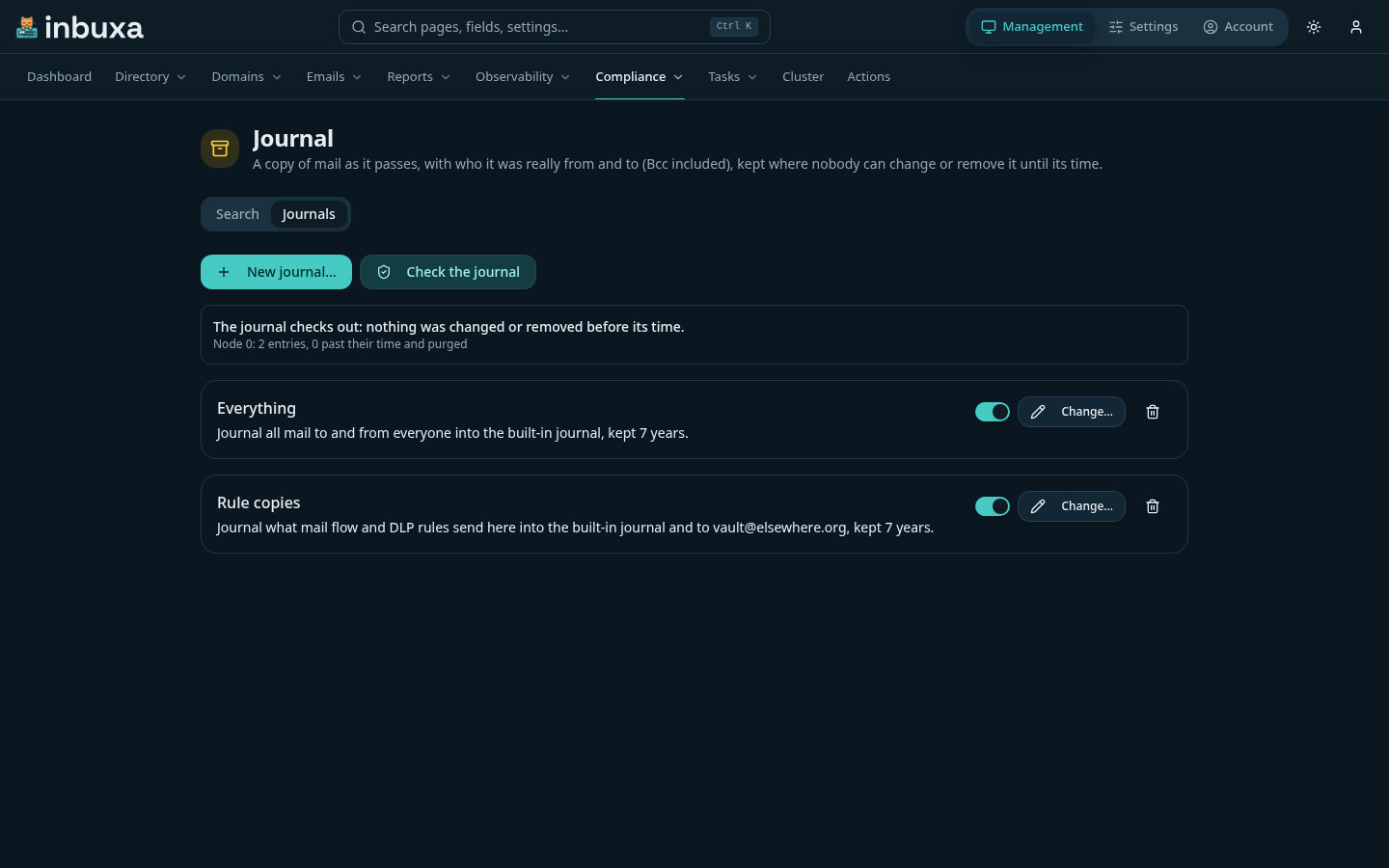
Several journals can take the same message; it's kept once in the built-in journal, for the longest of their times.
What's in each copy
Each copy is a journal report: a message whose first part lists the envelope, one field a line, and whose second part is the message exactly as it was sent.
Sender: [email protected]
Authenticated: yes
Subject: Q3 figures
Message-ID: <…>
Queue ID: 1a2b3c
Received: 2026-09-28T14:03:11Z
Direction: outgoing
To: [email protected]
Bcc: [email protected]
Expanded: [email protected] -> [email protected], [email protected]
Added by rule: Copy finance -> [email protected]
Held for review: yes
- Bcc lists recipients who weren't in the message's To or Cc.
- Expanded lists a mailing list's members under the list's address.
- Added by rule lists recipients a mail flow rule added, or redirected the message to.
- Held for review says a DLP rule held it.
The copy is taken as the message is queued, after DLP and mail flow rules, so the envelope is the one it actually left or arrived with. If the copy can't be written, the message isn't accepted either: the sender's server or app tries again, and nothing goes through unjournaled.
Journal it
A mail flow rule can send a message to a journal by what's in it: add the action Journal it and choose the journal. A DLP rule can journal what it warns about or holds, beside its action. The journal takes the message whatever its own scope; choose Only what rules send for a journal that takes nothing else.
An outside archive
A journal with an archive address sends each report there as ordinary mail, with the queue's retries. A report the archive refuses, or doesn't take before the queue gives up on it, or that's deleted from the queue, is kept in the built-in journal instead, for the journal's time. The journal then shows a warning with how many, when the last was, and why.
Search, read and export
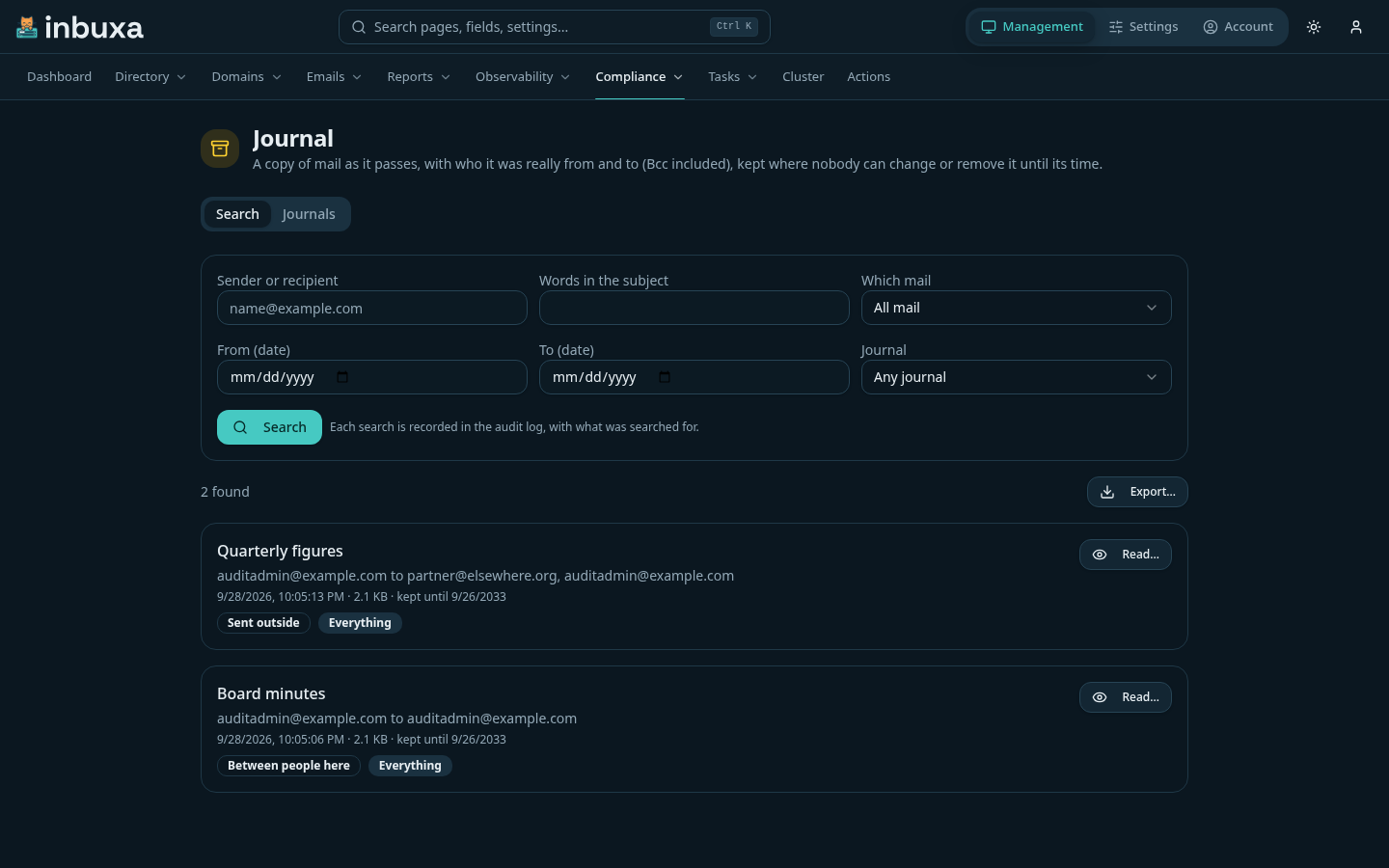
Search finds entries by sender or recipient, words in the subject, which way the mail went, dates and journal, newest first.
- Read… shows the whole journal report.
- Export… saves a ZIP of the reports a search finds, up to 10,000 at a
time: each report as a
.emlfile,manifest.csvwith each one's envelope and SHA-256,exceptions.csvfor any that couldn't be read, andmanifest.sha256. It needs a reason.
How long entries are kept
Once a day, entries past their time are removed, with their reports. An entry whose sender or any recipient is under a legal hold stays while the hold does. An account being deleted doesn't remove its entries; they go at the end of their time.
Checking the journal
Each entry is chained to the one before it by its SHA-256, one chain per server. Journals › Check the journal walks every chain and checks every report against its entry, and says what it found: an entry that was changed, one removed before its time, or a report that doesn't match. It can't stop someone with access to the server's disks from removing data; it's how that shows.
What's recorded
Every search (with what was searched for), every listing, every report read, every export (with its reason) and every check is in the audit log, written before anything is shown. So is every change to a journal, the nightly removal of entries past their time, and each report an archive didn't take.
Who can do what
| Set up journals | Search and read | Export | Check | |
|---|---|---|---|---|
| Administrator | Yes | No, unless granted | No, unless granted | Yes |
| Compliance Officer, server-level | No | Yes | Yes | Yes |
Administrators set journals up but don't read them by default. An administrator can grant Search and read journaled mail and Export journaled mail through a role, to others or themselves; that role change is in the audit log. Journals are the server's: nobody in a tenant reaches them.
What isn't journaled
- A message a mail app saves to its own Sent folder, or sends through another server, never passes through this one.
- Mail from before a journal was turned on. Legal holds cover what's already in mailboxes.
- The server's own DMARC and TLS reports, and journal reports themselves.
Search reads the envelope and subject, not message bodies.