Data loss prevention
Rules that check mail as it's sent, for what shouldn't leave: card numbers, bank accounts, national ID numbers, private keys and service tokens, and the words and patterns your organization names. When a rule matches, it does one of three things:
- Warn: the sender sees the rule's notice and can send anyway by giving a reason, which is recorded.
- Hold for review: the message waits under Held mail until a reviewer releases or rejects it.
- Block: it isn't sent, and the sender sees the notice.
Rules check outgoing mail: what your people send, from the webmail or a mail app. They're under Management › Compliance › Data loss prevention.
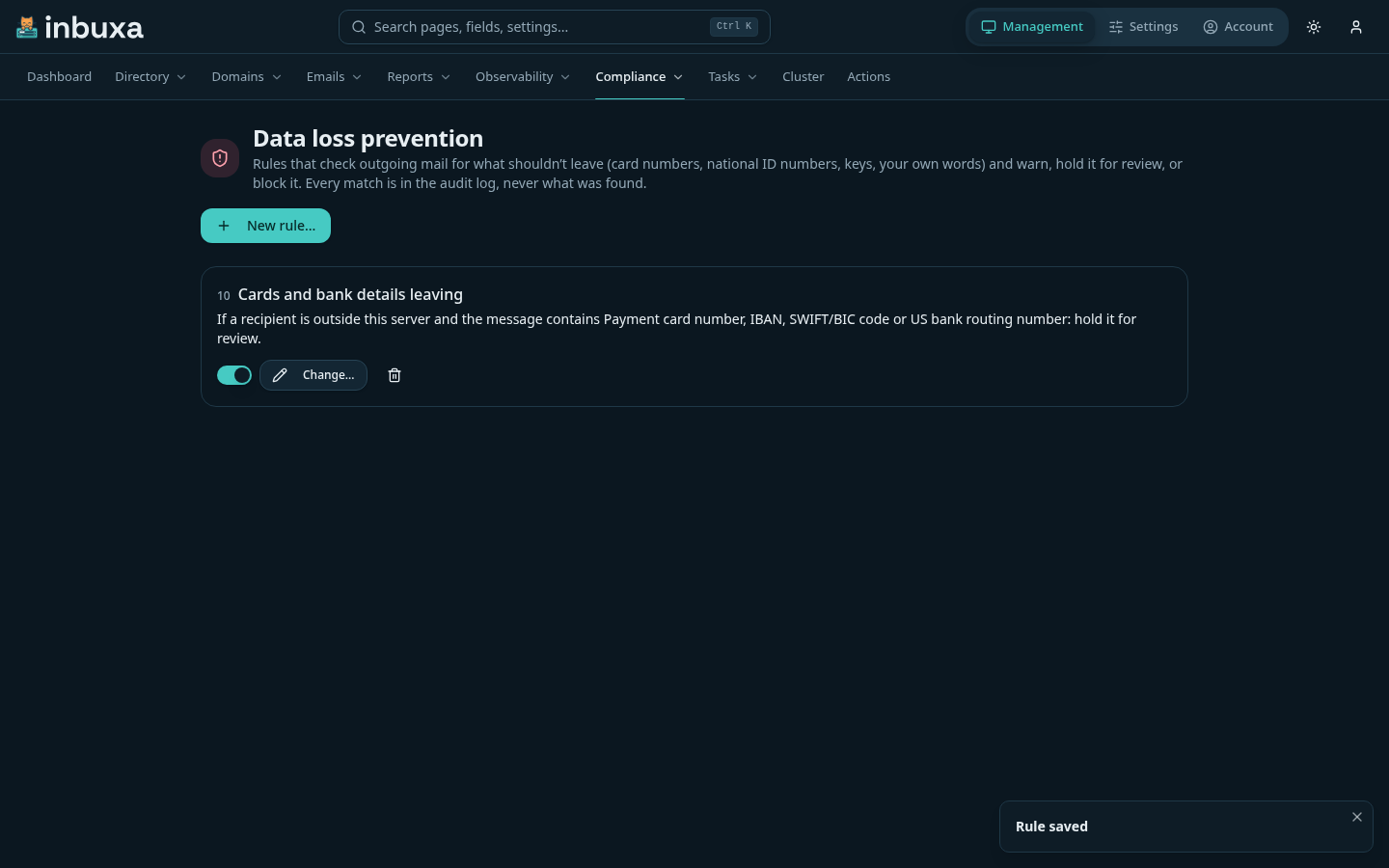
A rule
New rule… opens the editor. A rule has:
- Conditions, all of which must be true: a recipient is outside this server, the message contains sensitive data (detectors, below), words or a pattern, a header, an attachment of a type, name, size or number, one that can't be inspected, the sender or recipients, a group the sender or a recipient is in, or the sender's tenant.
- Exceptions, any one of which skips the rule: say, the finance team sending to your bank.
- What happens: warn, hold or block, and the notice the sender sees. It can also journal the message.
- Order: rules run lowest first.
As you build it, the editor says the rule in words.
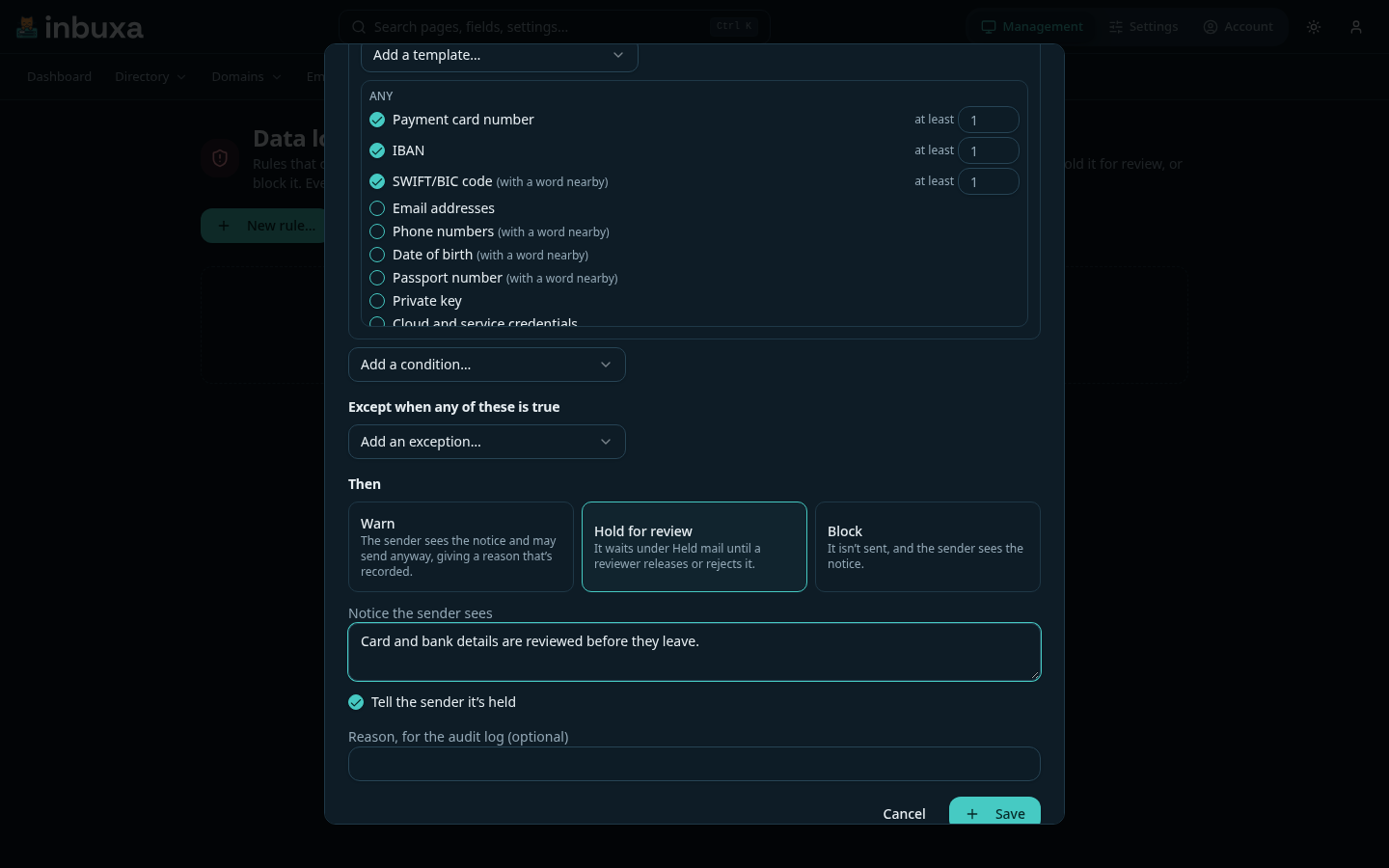
When several rules match one message, the strictest wins: block, then hold, then warn.
Detectors
Each detector finds one kind of identifier, by the format and check its issuer publishes, and counts how many different ones a message holds. A condition can ask for at least a number of them ("5 or more card numbers").
| Region | Detectors |
|---|---|
| Any | Payment cards, IBAN, SWIFT/BIC, email addresses and phone numbers in bulk, dates of birth, passport numbers, private keys, cloud and service credentials |
| US | Social Security, ITIN, EIN, bank routing, driver's license, Medicare (MBI), NPI, DEA |
| UK | National Insurance, NHS, Unique Taxpayer Reference |
| Canada, Australia | SIN; Tax File Number, Medicare |
| EU | Germany (tax ID, ID card), France (NIR), Spain (DNI, NIE), Italy (codice fiscale), Netherlands (BSN), Belgium, Poland (PESEL), Sweden, Denmark (CPR), Finland, Ireland (PPS), Portugal (NIF), Austria |
| Elsewhere | Norway, Switzerland (AHV), India (Aadhaar, PAN), China, Japan (My Number), Singapore (NRIC, FIN), South Korea, Brazil (CPF, CNPJ), Mexico (CURP), South Africa |
Where a number's check is one a random number often passes, it counts only
in the form it's issued in (536-22-1234, 943 476 5919), or next to a word
like "SSN" or "NHS number". Detectors marked with a word nearby always
need one: passport numbers, dates of birth, driver's licenses.
Templates add a set at once: payment cards and bank accounts, US, UK or EU identifiers, health identifiers, credentials and keys, contact lists. They're a starting point; change the set once it's added.
Some protected data has no number to find: health conditions, religion, union membership. No detector claims to recognize those. Cover your own terms for them with words and patterns.
What's read
The subject, the text of each body, attached messages, and attachments that are text (plain, CSV, JSON, XML, HTML) or Office documents (Word, Excel, PowerPoint, OpenDocument), and what's inside ZIP files. Up to 10 MB of text a message.
What can't be read counts as can't be inspected: encrypted or password-protected files, PDFs, older binary Office files, archives inside archives, and anything past the limits. A rule can act on that too: hold every encrypted attachment that leaves, for instance.
What the sender sees
In the webmail, a warned or blocked message comes back to the composer with the rule's notice. A warning offers Send anyway…, which asks for a reason. A held message says so when it's sent.
A mail app shows the server's refusal as its error. A warning's refusal
says how to send anyway: start the subject with [override: your reason].
The server takes the tag out before the message goes on.
Held mail
Management › Compliance › Held mail lists what's waiting: who sent it, to whom, which rules held it and what they found, and when it goes back.
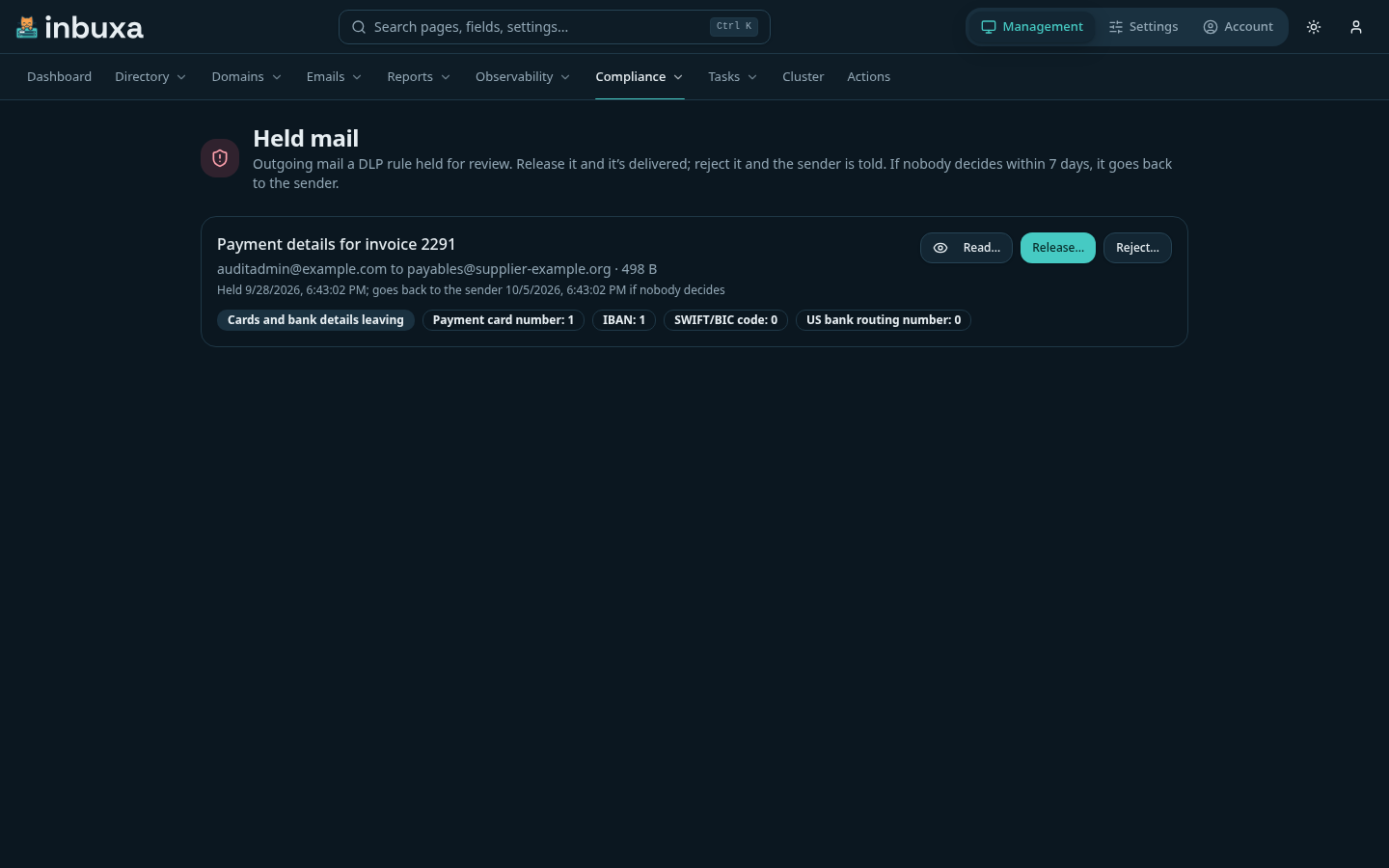
- Read… shows the message's text. Each read is recorded in the audit log, as any access to someone's mail is.
- Release… sends it on, as it was sent.
- Reject… takes it out of the queue and tells the sender, with your note if you add one.
Both need a reason, for the audit log. If nobody decides in time, it goes back to the sender, and that's recorded too. The wait is 7 days unless you change it on this page (1 to 90 days); a message keeps the wait it was held with. Held mail can't be sent around the review: Emails › Queue won't change or delete it, and the sender can't unsend it.
What's recorded
Every message a rule matches is in the audit log: who sent it, the recipients' domains, each rule and how many of each detector it found, what happened, and a sender's reason for sending anyway. Never what was found: the log doesn't become a second copy of what the rule kept in. Changes to rules, and every release and rejection, are recorded with who made them.
Who can do what
| See rules | Change rules | See held mail | Release or reject | |
|---|---|---|---|---|
| Administrator | Yes | Yes | Yes | Yes |
| Compliance Officer, server-level | Yes | No | Yes | Yes |
Rules and held mail are the server's: nobody in a tenant reaches them. A rule can still be limited to senders in chosen tenants.