Directories and SCIM
A directory is where the server checks who someone is. By default that is inbuxa's own: accounts, passwords and groups kept in its store, and managed in the console or the webmail's Administration.
It can instead be one you already run:
| Directory | Signs people in with | Finds recipients |
|---|---|---|
| LDAP (including Active Directory) | Their password, checked by the directory or against its stored hash | Yes, by searching the directory |
| SQL | Their password, checked against the hash in a database table | Yes, by querying the table |
| OpenID Connect | A token from your identity provider, such as Keycloak or Entra ID | No: only accounts that exist already |
And an identity provider can push accounts into inbuxa with SCIM, whichever directory signs them in.
Choosing one, per domain
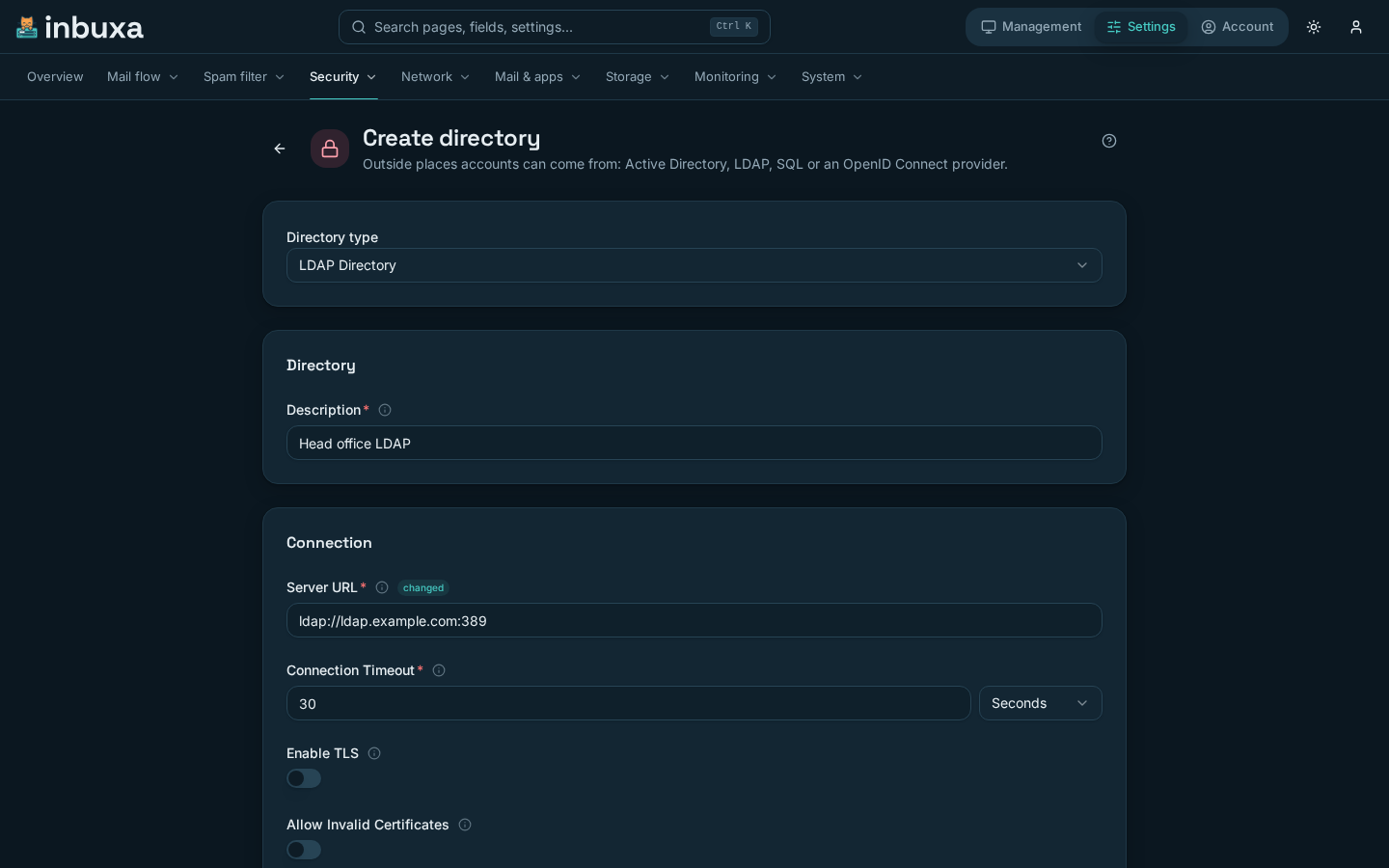
Directories are created under Settings › Security › Directories, or by the directory guide. Then:
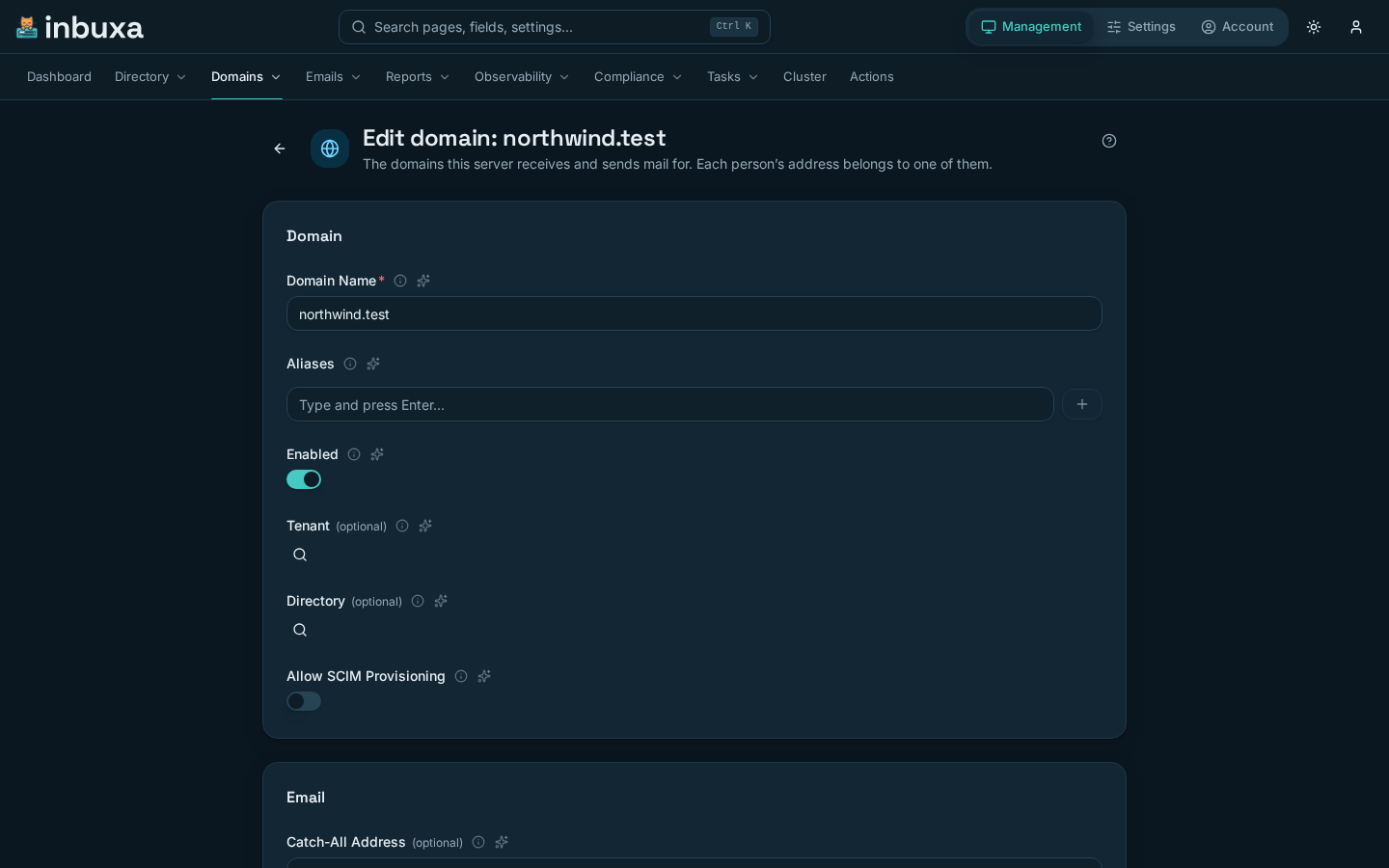
- For one domain: Management › Domains, the domain's Directory field.
- For every domain that doesn't name its own: Settings › Security › Sign-in › General, Authentication Directory.
With neither set, a domain uses inbuxa's own accounts. One server can mix them: one domain against a company's Active Directory, another against a Keycloak realm, a third on inbuxa's own accounts.
A directory can belong to a tenant, in its Tenant field. That tenant's administrators then manage it, and only its own domains can use it.
The directory guide
Connect a sign-in directory is on Settings › Overview, and at the top of Settings › Security › Directories and Sign-in › General. The directory is saved and tested on its own first; sign-in only moves to it for the domains you pick at the end.
- Directory. Active Directory, OpenLDAP, FreeIPA, Keycloak, Authentik, or another OpenID Connect provider. Each fills in what it usually needs. An SQL database is set up by hand, under Directories.
- Connection. For LDAP, the server's address and a read-only account
the server uses to find people; each person's own password is then
checked by signing in as them.
ldaps://on port 636 is encrypted from the start;ldap://uses STARTTLS unless the directory is on the same machine. Domain for plain user names is added to a user name without an@. For OpenID Connect, register inbuxa as a client with the provider first. Mail apps can't do a browser sign-in, so people use app passwords for IMAP and SMTP. - Test a person. The server looks an address up in the directory and, if you give a password, signs in as that person. Nothing is created, and a wrong password doesn't count against anyone. It says what it found: the person, a group rather than a person, nobody (check the search base, and that the address is in the mail attribute), or a wrong password. You can't go on until the test passes.
- Domains. Pick the domains that move to this directory, or make it the server default for every domain without its own, which is rarely what you want. On a domain that moves, only people the directory knows can sign in with a password: accounts it doesn't know stop signing in and, for LDAP, stop receiving mail. App passwords keep working. If your own domain is picked, the guide asks you to confirm you've checked you can still sign in: test your own address first, keep an app password, or leave that domain out.
- Review, then Done. Have someone sign in to the webmail with their directory password. Their account is created on first sign-in, with the name, aliases and groups the directory gives.
To undo, set a domain's directory back to the server default. Accounts made from the directory stay, with the last password it supplied.
How it behaves
- The domain chooses. People sign in with their full address, because its domain is what picks the directory. A directory only answers for its own domains: an account it returns on some other domain is refused.
- Accounts appear on first use. A person's account is created from the directory the first time they sign in, or the first time mail arrives for them from an LDAP or SQL directory. Their display name, aliases and groups come with it, and are updated each time.
- The directory decides who exists. On an LDAP or SQL domain, mail to an address the directory doesn't know is refused, even if an account with it exists in inbuxa. Mailing lists and the catch-all are still kept in inbuxa, and still work.
- No fallback. When the directory can't be reached, sign-in fails and incoming mail gets a temporary failure, so the sender tries again. It never falls back to another directory or a password kept in inbuxa.
- Passwords are changed in the directory. The webmail and the console won't set one on a directory account. App passwords and API keys still work, and are how clients that can't sign in any other way get in.
- Nothing is deleted. Someone removed from the directory can no longer sign in, and on LDAP and SQL domains stops receiving mail. Their account stays in inbuxa until you remove it.
- Changes apply straight away. A new or changed directory, or a domain moved to another, takes effect on the next request, without a restart.
Moving a domain off a directory
Set its Directory back to none, or to another. Accounts, mail and app passwords stay as they are. Moving to inbuxa's own accounts keeps the password each account last had from an LDAP or SQL directory, so nobody needs a new one. That is also how people move from an old server; see Coming from another server.
LDAP and SQL
The LDAP form's fields, a worked configuration for Active Directory, and SQL queries for common schemas are on Coming from another server and its pages for Postfix and Dovecot and iRedMail. They apply whether or not you are migrating.
OpenID Connect
An OpenID Connect directory signs people in with tokens from an identity provider. Its fields:
| Field | What it is |
|---|---|
| Issuer URL | The provider's issuer. The server reads its discovery document from there |
| Required Audience | If set, a token must be meant for this audience |
| Required Scopes | Every scope listed must be in the token |
| Username Claim | The claim that names the account |
| Username Domain | Added as @domain when the username has none |
| Name Claim, Groups Claim | Where the display name and groups come from |
Things that differ from LDAP and SQL:
- There are no passwords. Clients sign in with a token (OAUTHBEARER or XOAUTH2). For clients that can't, people use app passwords.
- Recipients can't be looked up, because OpenID Connect has no way to ask. Mail to someone who has never signed in is refused, unless an administrator created their account first. Create accounts ahead of time on an OpenID Connect domain, or provision them with SCIM.
- Clients find the provider themselves. For an address on such a domain, the server's discovery answers with the provider's details, so a client that supports it signs in there.
SCIM
SCIM lets an identity provider such as Entra ID, Okta or Keycloak create, update, suspend and delete accounts in inbuxa as people join and leave. It is off until you open a domain to it and give the provider a key.
- Open the domain. Tick Allow SCIM Provisioning on it under Management › Domains.
- Make an account for the provider to act as, and give it a role with
Provision users and groups through the SCIM endpoint (
scimAccess), plus permission to read, create, change and, if you want the provider to delete accounts, delete them. - Create an API key for that account, under Account › Credentials › API Keys while signed in as it. The key is shown once.
- Give the provider the endpoint,
https://mail.example.com/scim/v2, and the key as its bearer token.
An API key's own limits apply: an expiry date, and the addresses it may be used from. Revoke it by deleting it; that takes effect on the next request. Only API keys are accepted on the SCIM endpoint. A person's sign-in token can't drive provisioning.
What changes on a SCIM domain
- SCIM is in charge of who exists. Signing in through a directory no longer creates or updates accounts there; the provider does.
- Suspending and deleting are different. A provider that sets an account inactive stops it signing in, everywhere, at once, and ends the sessions it has open. Its mail keeps arriving and is kept. Deleting it removes it and its mail, unless deleted accounts are archived, and only if the key's account may delete accounts. Leave that permission out to have the provider suspend and never delete.
- Turning SCIM off moves nothing. Accounts it made stay, and directory sign-in takes over updating them.
A key belonging to an account in a tenant reaches only that tenant's domains and accounts.