Overview and data inventory
A data-protection review starts with the same questions: what does the server hold about people, where, for how long, and who else gets it. The server answers them itself, from its settings as they are right now, under Management › Compliance:
- Overview: the answers in four numbers, what is kept with no time limit, recent changes that affect review, and when the picture last changed.
- Data inventory: every kind of personal data, one row each, and the hosts that receive some of it.
Both report facts. Whether what they show meets your obligations is for you, or whoever advises you, to decide; the server never says so.
Server administrators and compliance officers see both pages. Tenant administrators and a tenant's compliance officer see their own tenant's part.
Where the answers come from
Every kind of record the server can store is described in a catalog that ships with it: whose data it is (the account holder, the people they write to, administrators), what kind (identifiers, contact details, network addresses, message content, metadata, credentials), where it's stored, and which setting decides how long it's kept.
The pages read that catalog against your settings. Switch Pyzor off and it stops being listed as sending anything anywhere; set a retention period and the row shows it. Nothing is estimated or sampled.
The catalog is checked on every change to the server's code: a new kind of record, or a new field that holds an email address, an IP address or a secret, fails the build until it's described. So a new version can't quietly start keeping such data without the inventory listing it.
Overview
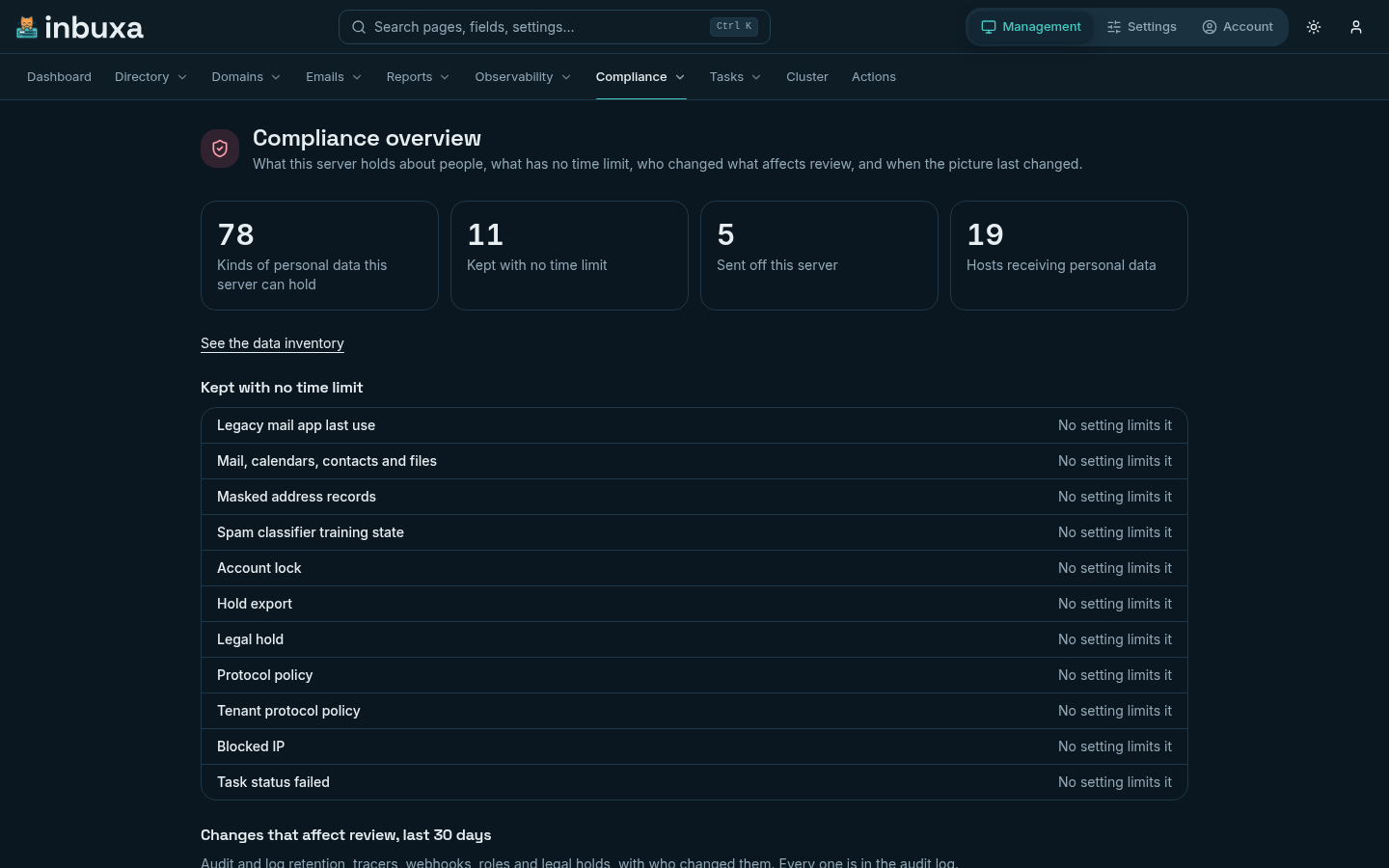
The four counts
| Count | What it counts |
|---|---|
| Kinds of personal data this server can hold | Rows in the inventory the server collects with its current settings |
| Kept with no time limit | Those with nothing that removes them by age |
| Sent off this server | Those that leave it: lookups, exports, reports, forwarding |
| Hosts receiving personal data | Distinct hosts any of them goes to |
Kept with no time limit lists each such kind, and whether a setting could limit it. Mail itself is here: it's kept until someone deletes it.
Changes that affect review lists the last 30 days of changes to audit and log retention, tracers, webhooks, what a role allows, and legal holds, with who made each and when. These are the changes that can make later review harder, whoever made them. Only those who can read the audit log see this list; every entry is in the log in full.
When the picture changed is the inventory's history (below).
Data inventory
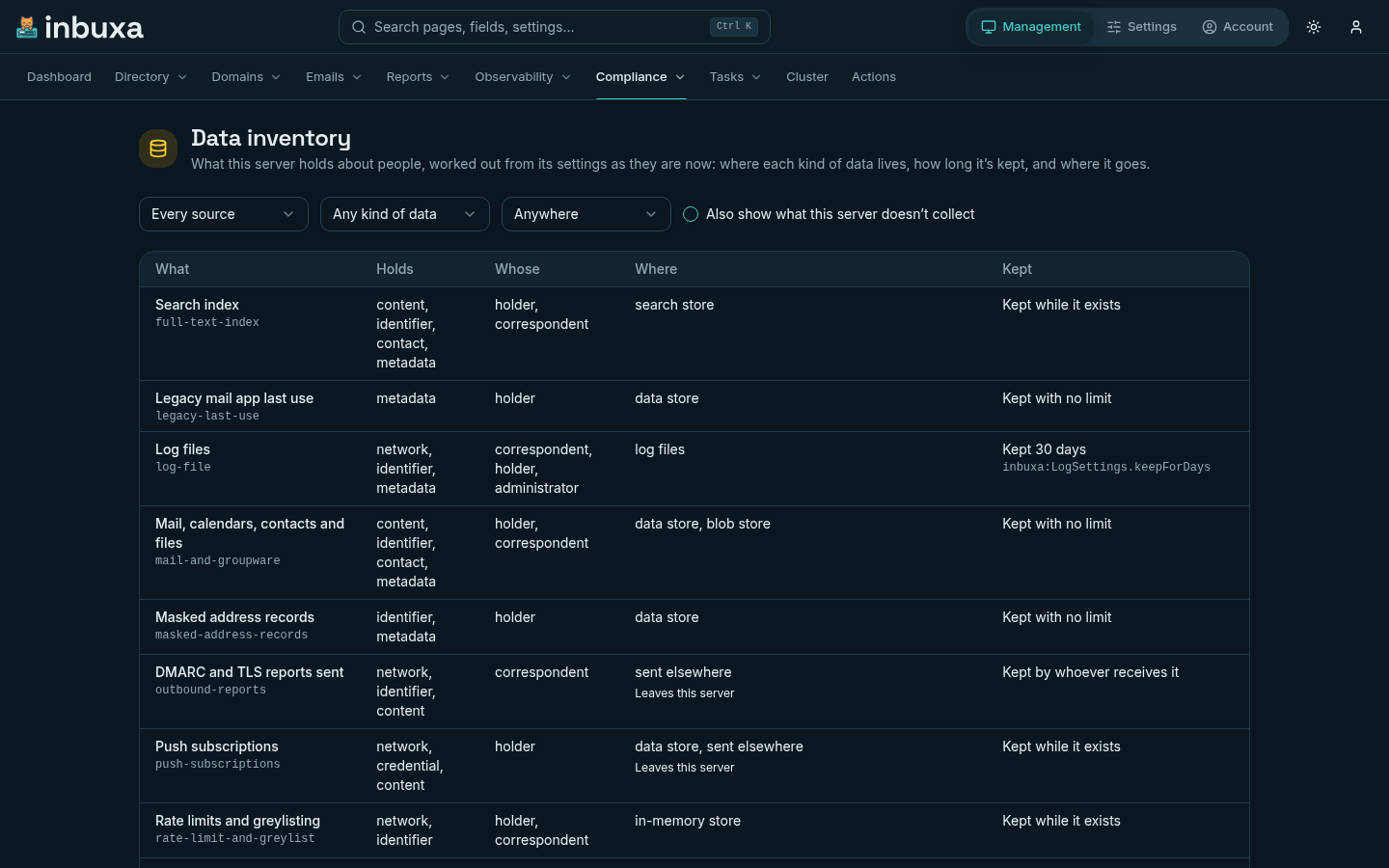
Each row is one kind of record or one source of data:
| Column | Says |
|---|---|
| What | Its name, and its identifier in the catalog |
| Holds | The kinds of data in it |
| Whose | Whose data it is |
| Where | The data store, blob store, search store, in-memory store, log files, or sent elsewhere |
| Kept | A number of days, while it exists (it goes with what it belongs to), by whoever receives it, or with no limit. The setting that decides it is shown under the answer. |
Filter by source (stored records, or files, exports and lookups), by kind of data and by place. What the server doesn't collect with its current settings is hidden; tick Also show what this server doesn't collect to see those rows too, grayed out.
Hosts that receive personal data
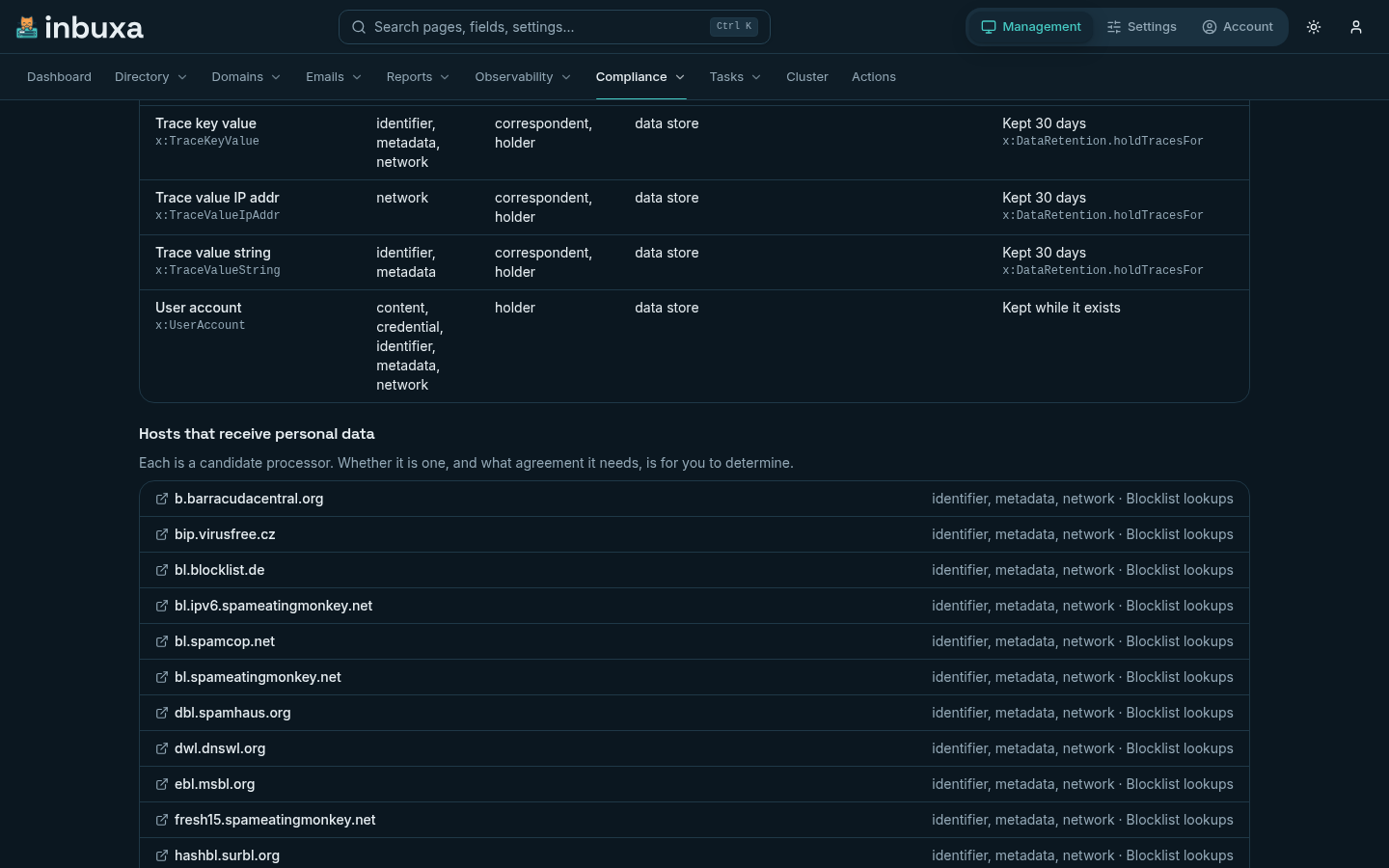
Below the table, every host some personal data goes to, what it receives and which feature sends it: blocklist lookups, Pyzor, a relay, an OpenTelemetry collector, a webhook, an external store.
Each is a candidate processor. Whether a host really is one, and what agreement you need with it, depends on who runs it and what it does with the data; that is yours to determine. A blocklist that receives an address it's asked about is listed, whatever it does with it.
Endpoints on the server itself (localhost, any 127.x.x.x address,
::1) stay on the host and aren't listed. Any other address counts as leaving it, even one
in your own network.
History
The server records the inventory whenever it changes: after a setting it reads is changed, and on the daily clean-up. A record is kept only when something differs from the last one, so a quiet server builds up few.
The Overview lists them newest first, each with what triggered it and what changed in the four counts. Records are kept as long as the audit log's records.
A tenant's part
Inside a tenant, administrators and the compliance officer see the rows that belong to the tenant: mail, calendars, contacts and files, and the records kept about its accounts. What is server-wide (the server's logs, the spam filter's lookups, the hosts they go to) belongs to the server's operator and isn't shown.
Defaults on a new server
A server installed with 2026.9.28.4 or later starts out keeping less, and sending less away, than earlier versions did:
| New server | Before | |
|---|---|---|
| Rotated log files | Deleted after 30 days | Kept with no limit |
| Automatic IP bans (Settings › Security › Settings, Automatic IP Banning) | Lift after 30 days | Never lifted |
| Spam training samples (Settings › Spam filter › Statistical classifier) | 90 days | 180 days |
| Pyzor (Settings › Spam filter › Pyzor), which sends a digest of each message body to a public server | Off | On |
| msbl.org's email blocklist (Settings › Spam filter › Blocklists (DNSBL) › Servers), which is sent a hash of addresses it's asked about | Off | On |
| Delivery history (Settings › Storage › Retention › Telemetry, Tracing History) | 14 days | 30 days |
| A new webhook's events | None until you choose | Every event |
A server installed earlier keeps its settings: upgrading changes none of them. Change any of them yourself to match, or leave them as they are. Each trade-off is small but real: fewer spam signals, a shorter history to troubleshoot from, a persistent attacker let back in after 30 days to be banned again.
On every server, bans that have run out are removed by the daily clean-up, so Blocked IPs no longer fills with expired ones.
What it can't see
- Anything outside the server. Backups, copies you export, a proxy's logs, the webmail's host: those are yours to add to your own records.
- Direct access to the store. Someone with shell access to the server can read or change the store without the server knowing.
- What a receiving host does. The inventory knows what is sent where, not what happens to it after.